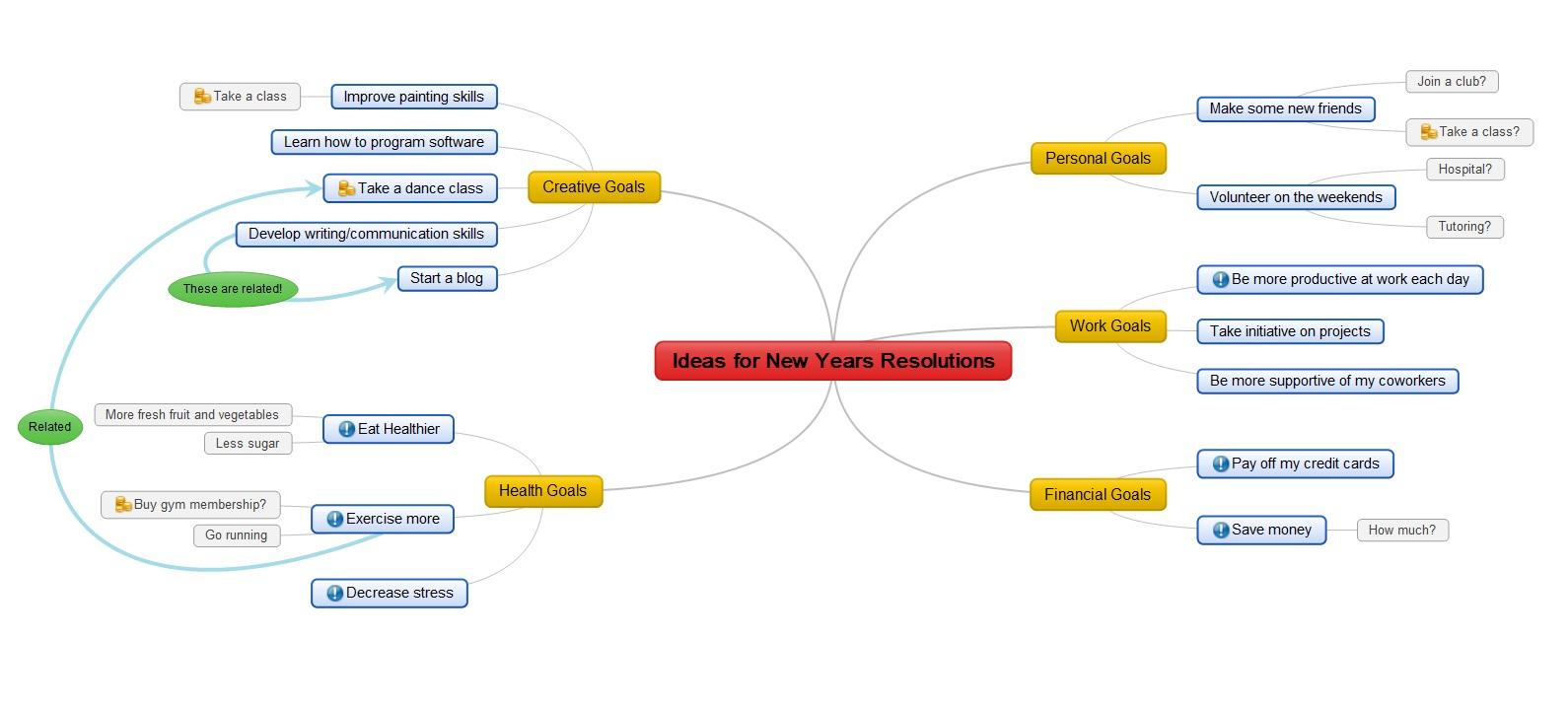
MindMaple for iPad is their full version, which gives users the ability to create and edit collaborative mind maps in real-time. With document sharing via Google Drive and DropBox Integration, online collaboration has never been easier for the mind mapping community!
MindMaple Inc., the Silicon Valley based mind mapping software company, have officially launched their latest app for the iPad community. This product has been specifically developed to help bridge the gap between PC users and the ever growing iPad market.
MindMaple for iPad is a fast and intuitive way of organizing and prioritizing information. The education sector has found MindMaple products to be particularly useful as software for teachers, allowing them to create and organize their lesson plans. Students benefit by using it for lecture notes, idea sharing and problem solving. Those in the business world use it to manage their busy schedules, for brainstorming sessions, project management and more. The newest feature gives users the ability to create and edit collaborative mind maps, with a user-friendly interface and additional features to assist in maximizing productivity and efficiency.
You can download their mind mapping software by visiting their website or downloading directly from iTunes.
MindMaple Inc. have also created an online guide that provides step-by-step instructions on how to utilize their real-time collaboration feature. Users can access this guide by visiting their MindMaple for iPad Help section on their website.
Source: sfgate.com
Mind mapping - the process of visualizing ideas and information in much the same way that people think - has evolved from pencil and paper to digital methods. The new MindNode Pro app for Mac, however, makes mind maps easier to navigate with features that play into our media-rich, link-embedding, social-sharing era of computing.
Mind maps don't have anything to do with identifying the contours of your brain -- although they may give you an inkling about how your mind works.
At the heart of a mind map is the idea that we don't think in rigid hierarchies. The old-fashioned tree outline with heads, subheads and so forth can nicely organize a theme, document or white paper, but it isn't how people think or the way the brain works.
We don't think in straight lines. Our ideas tend to radiate from each other -- more like a net than a strand of rope.
That's where mind maps enter the picture. They can help you create the framework for a project in a way that's closer to the way you think.
Before computers had good graphics support, people created mind maps with paper and pencils. Pencils were a key component, as lots of erasing could be involved. Even then, a mind map could be decipherable only to its creator.
Enter the Computer
Computers have greatly improved the task of creating mind maps. Not only have they improved our ability to create more legible maps, but they've opened up the process to collaboration, something impossible in the pencil and paper age.
All the advantages computers bring to the mind mapping process can be seen in MindNode Pro (US$19.99) for the Mac.
MindNode allows you to quickly and easily create new nodes -- the spokes on the hub of your idea -- as well as create cross connections between nodes.
Back in the pencil-and-paper days, the nodes, siblings and children consisted of words. Everything was flat and two dimensional.
With MindNode, you can embellish an element in your mind map in ways that not only enhance the look of it, but make it leap into cyberspace.
Media Galore
You can add media to your maps. If you created a map of your family tree, for instance, you could display a photo with each family member in the tree.
For easy access to images, audio and movies, MindNode has a media button on its toolbar. Clicking it displays a window that gives you access to folders on your Mac where media reside.
For example, you can access your iTunes library directly through the media window. When you see an audio file, image or even video needed to illustrate an element of your mind map, you can drag it from the window to the map.
Links can also be added to elements. A reference to a court decision on a map designed to explain a public policy issue, for instance, could contain a link to a PDF file of the actual decision stored on your computer, or to a site on the Web containing the document.
Size Matters
While computer mind maps have a lot of advantages over paper ones, one area where digital maps fell down was size. Large sheets of paper cost a lot less than large computer screens. Also, when a map starts getting cramped on a sheet of paper, you can just tape another sheet to it.
MindNode addresses the size issue by giving you an infinitely sized canvas for your maps. If your map expands past the edge of the MindNode window, the program just slides left, right, up or down to accommodate the expansion.
The expanded canvas works nicely with a trackpad because you can slide around the canvas effortlessly.
MindNode, which runs on OS X 10.7.3 or later, also supports Lion's full screen mode, so not only can you get the maximum area for your mind map, but you can block out all desktop distractions to your brainstorming as well.
Mess Begone
Those messy mind maps from the bad old pencil-and-paper days are gone with MindNode, which has a number of organizational features to create cleaner maps.
If you need to remove some map clutter from sight, you can hide nodes with a single click.
You can edit your map on the fly by grabbing nodes and dragging them anywhere on the screen.
Grabbing and dragging nodes, however, can be inadequate if your map gets too complicated. MindNode thought of that; it has an auto-organize feature that will clean up things for you without your intervention.
Your map's organization can also be aided by customizing your nodes with the many choices of colors, fonts and stroke width offered by MindNode.
More Than Sharing Photocopies
With paper mind maps, sharing usually meant photocopying your map and circulating it to your colleagues. That just won't do in the age of the social web.
MindNode lets your share your maps on your local network with your other iOS devices. MindNode's makers, IdeasOnCanvas, also makes versions of the program for the iPhone and iPad.
You can also export maps created with the software into other formats, such as PDF, FreeMind and OPML, or as a PNG or TIFF image file. You can even export it as a text outline in RTF.
MindNode is a great example of how a computer has taken a productive tool for brainstorming - the mind map - and made it a robust powerhouse.
Read complete at macnewsworld.com

Ajay was sitting in the economics class. Prof Bhushan was delivering a lecture on market structures. His lecture was interesting, informative and interactive.
Ajay was stimulated by the ideas being proposed and discussed and he began actively participating. Four weeks later, when internal exams were over, the results surprised both the Professor and his student. Prof Bhushan called Ajay to his cabin and gently asked "Ajay! I expected you to be in the top ten in the class! What happened? Any problem?"
Ajay responded, "I am surprised too sir! I thought I had understood all you said. I do remember many examples you have given as well. But as you have pointed out in my paper, my answers were not balanced between theory and examples. I had many new ideas in the class. I was confused. I guess there was too much information and too less time to think and answer."
Challenging Task
The daunting task of note taking for a student involves several challenges outlined below:
n There is too much of information to handle from various sources. It’s often required to systematically organize information to write an exam or to participate in a discussion.
- There is often the question of focus. Where should the student focus in the class? On writing notes or on listening to the lecture!
- How can one keep track of one's own ideas and questions?
- How can one keep updating the information as and when they find new information, new links and add new ideas throughout the learning period?
These challenges usually make the student to resort to short cuts such as memorising and reading from handbooks. As a result learning becomes routine and boring. These practices in the long-run erode the teacher-student relationship. What is needed, therefore, is a tool that can keep the creative potential of the student alive and at the same time be useful for note taking.
The Concept
Tony Buzan, in 1970s', introduced the concept of mind mapping for taking down notes in a quick manner. The technique was to begin with a central idea written down at the center of a page. Various thoughts about the core idea are then drawn as branches.
Thoughts and ideas about a specific branch are recorded as sub-branches leading out from the main branches. Associations across branches can be made to allow for forming relationships amongst various thoughts.
So, by being skilled in the art of mind mapping, students can capture key information in the class, while being focused on listening and participating. They can follow their own line of thinking and continue expanding on it after the class. They can connect different concepts and help themselves to discover new knowledge. Their discussions with their teachers and co-students can be much more meaningful and satisfactory.
The process of mind mapping
A mind map usually begins with a "Central Idea" or "Theme" with branches flowing out of it. Each branch represents a distinct sub-theme of the central idea. For example, the teacher might have started the class saying, "Today, we are going to talk about job analysis and its utility."
So, the map would begin by writing "Job Analysis" in the center of the sheet and then circling it. Then as the class progresses sub-themes are added.
The teacher might have given the components of the job analysis, discussed the steps required to carry out Job Analysis, and its applications in organizations.
To capture the above information, a branch from the central theme is drawn and labeled "Components". The branch line is thicker when it begins on the circle and gradually thins out as it ends. All branches and sub-branches follow the same pattern.
Different colours for different branches can be used to make the map more meaningful and creative. Coming back to the example, as there are many components, each component can be represented on a sub-branch, flowing out of the main branch.
To capture more information about each component, further sub-branches can be drawn. Similarly the “Steps “and “Applications” can be drawn as main branches and sub-branches can be added to extend more information. More branches can be added to capture new ideas, questions and other information.
Now, you may find that a concept that is presently being discussed is related to some other concept discussed earlier. To capture this, the two linked concepts are identified and are connected with a dotted line. A label is added to that relationship to describe the nature of relationship.
To add more meaning and creativity to the map, different colours can be used. Pictures that are descriptive of the key-words can also be added. Though, there is actually no end to when a map can be complete, it can capture enough information to use for reference, not only to do preparatory work, but also for exams.
Other uses for students
- Exam preparation: Once the mind maps of your subjects are ready, its easier to prepare for exams. To master the content, simply re-drawing the mind map and comparing it with the original will clearly show where gaps exist.
A question paper can be taken and the map can be examined to see if it contains information required to answer all the questions.
If not, such information can be added from various sources. There is no need to carry heavy notes and books to the examination centre.
- Preparing presentations: Mind maps can be used to bring in originality and creativity to presentations. Apart from the content, branches that outline key notes about the audience, the time to be spent on each topic, the goals of the presenter, and much more information can be captured.
Original ideas and points of discussion can be brought out on separate branches. As the discussion progresses during the presentation, it can be dynamically added to the mind map.
Who Uses Mind Maps?
Managers use mind maps as a tool to document brain-storming sessions and managing long meetings. Writers capture their plot ideas for their stories.
Lawyers and doctors have extensively used this technique for capturing their analyses and diagnoses. Teachers use it to plan their classes.
Other Uses of Mind Maps
Mind maps can be used for several purposes apart from taking notes. The following are some of the uses that people around the world have found for mind maps:
- Problem solving
- Outline / framework design
- Anonymous collaboration
- Marriage of words and visuals
- Individual expression of creativity
- Condensing material into a concise and memorable format
- Team building or synergy creating activity
- Enhancing work morale
Source: deccanherald.com

Take control of life in 2013 by compiling thoughts and goals into one central, accessible space. This simple step increases the likelihood of success by giving goal-setters a place to refine their ambitions.
One way to catalog and organize goals is to use a mind map. Lucidchart has just improved their mind mapping tool with collapsible branches, which means that it is easier than ever to keep thoughts organized.
A mind map starts with a central theme and branches out into subtopics. Each subtopic can then be broken down into smaller sections with greater detail. For example, if one's goal is to lose weight, make the central topic “Lose weight.” Subtopics could include “Cut down on drinking/smoking”, “Dine out less frequently”, and “Try one new vegetarian dish per week.”
Mind maps are also ideal for achieving professional goals. Eliza Wright, PR representative at Lucidchart, said, "Mind maps make sense not only for solidifying goals, but for tracking progress over time. To make a greater impact at work, you can use feedback from your peers and supervisors to shape your central topic and subtopics, then do some research on how to meet those objectives.”
All of this information can be housed and neatly organized within the mind map itself. Because of their visual nature, mind maps enable the goal setter to see and digest crucial information at a glance.
When considering diagramming programs, Lucidchart is an outstanding choice. The benefits of using an online diagramming tool are numerous, and include advantages like:
Greater security - Traditional mind mapping programs require a download and installation. With Lucidchart, there is no need to worry about malicious software or viruses, because no downloading is required.
Faster diagramming - Use hot keys to speed up the diagramming process. Hot keys are simple, intuitive keyboard shortcuts that enable mind map creation in just seconds. Mind map branches are collapsible for enhanced readability.
Peace of mind - Each document hosted on Lucidchart is backed up to multiple secure data centers, so there are no worries about backing up or losing data. Lucidchart also maintains robust revision histories, so reverting to an earlier mind map version is always possible.
On-the-go access - Lucidchart is built on open web standards, which means that diagrams are accessible from any location, on any browser, with any device. An Internet connection is the only requirement.
Try Lucidchart for mind mapping today, and see how their latest features make diagram creation both speedy and easy.
Source: sfgate.com
Learn how to mind map with MindMapp, the first interactive workshop for iPad. Master the basic theory of mind mapping and apply what you have learned in a number of exercises. Ready to make your own mind map? The MindMapp canvas lets you create beautiful and effective mind maps and share them on Twitter.
MindMapp is suitable for people who want to start mind mapping. The basics of mind mapping are explained with inspirational exercises and appealing examples. Practice what you learn on the canvas at your fingertips. MindMapp gives you instant feedback with helpful suggestions and visual responses. With each exercise finished, you earn a badge which allows you to track your progress from Rookie to Master.
Hans Buskes, mind map trainer: “For 15 years I have been training people to master mind mapping. To use them among others for better learning, smarter note taking, problem solving, understanding complex patterns and reducing complex issues to easy to grasp infographics. Now my experience is captured in MindMapp. The result is unique: an interactive workshop and mind map canvas in one app.”
Every month, a mind map that has been publicly shared by one of MindMapp’s users will be selected. This mind map will be highlighted as ‘MindMapp of the month’ and featured on Hans Buskes’ website MasterMindMaps.
MindMapp is available on the App Store for $5.99 and is the fastest, easiest and most fun way to learn and master mind mapping.
Source: pressdoc.com
MindMaple Inc., the San Francisco based mind mapping software company have officially launched the their newest app for the iPad community, called MindMapleHD for iPad. The majority of their previous software development has focused on Windows based platforms. This product has been developed specifically to bridge the gap between their customers Windows based computers and the ever growing iPad market.
MindMapleHD for iPad is a fast and intuitive way of organizing and prioritizing information for project management, brainstorming sessions, ideas sharing, lesson plans drafting, lecture note taking, problem solving, schedules managing and much more. It gives users the ability to create and edit collaborative mind maps with a user-friendly interface and numerous features to assist in simplifying complex ideas and concepts.
A company spokesman reported the product is going to remain free for a limited time and is currently available for download via their website or directly off of the iTunes store.
More product information can be obtained via their website at http://www.mindmaple.com. You can "Like" them on Facebook at http://www.facebook.com/MindMaple and "Follow" them on Twitter at http://www.twitter.com/mindmaple.
Scapple — a cross between scabs and Snapple? Thankfully not: Scapple is in fact a brand new (as in beta) mind-map app for writers. What’s that, you say? There are already a ton of mind-map apps out there? That’s true. But none of them comes from the developer of the awesome Scrivener.
Scapple (which I keep mistyping as Snapple or Scrapple) comes from Literature and Latte, the developer behind the ultimate long-form writers’ tool, Scrivener. As I said, it’s a mind-map app, but this one is geared more towards getting ideas out of your head and less about structuring them. To begin with, at least.
The metaphor is a sheet of paper. A big sheet of paper. You can click to start typing anywhere on the page, which expands to fit all of your snippets. You can link ideas and draw lines between them, but crucially this isn’t required, unlike a regular mind map app which requires that you organize yourself in trees.
There are a few neat tricks. The z key will zoom out on a long-press to show the whole canvas, and for a beta version the export options are legion. You can even drag and drop a note over to Scrivener and add it to the latter’s corkboard.
The good news: the app will probably be around $10 when it makes it into the Mac App Store. The bad news: it’s for OS X, not the iPad. This seems a little ass-backward to me as the iPad is the perfect place for this kind of brainstorming and idea generating. I guess I’ll just have to stick to actual paper index cards for a while yet.
Source Literature and Latte | cultofmac.com
Now "More than Just Draw," SmartDraw 2013 Creates Everyday Productivity with Smart Visuals and a New Cloud Service, SmartShare, to Help People Get Things Done
SmartDraw Software today announced the launch of its new SmartDraw 2013, which takes the power of visual communication beyond the desktop to the web and any mobile device. It combines "smart" business visuals with mobile access and universal sharing features to help business users work smarter, faster and more effectively.
"We've designed SmartDraw 2013 to be the fast, productive way to keep your entire team organized, on task, and on target to complete any project or objective," said Paul Stannard, SmartDraw CEO. "Our 'smart visuals' let you capture important information and share it instantly with anyone, on any device. This allows you to put information to work wherever you are. Making it easy to connect people and information every day so that your entire organization gets things done is what SmartDraw 2013 is all about."
What is a Smart Visual?
SmartDraw 2013 is not your typical flowcharting or mind-mapping program. The difference is the creation of the "smart visual." It begins with SmartDraw's exclusive automated drawing tools that make it fast and easy for anyone—with or without drawing skill—to create perfectly formatted, eye-catching and intuitive visual graphics. They may be used to illustrate workflows, functions, diagrams, and many other business processes. But smart visuals aren't just pictures—they're real data. Smart visuals enhance meetings and project planning with built-in task assignment, notification and tracking. They also allow the user to add links, notes and attachments to any visual, which can then be shared with anyone—even non-SmartDraw users—on the SmartShare cloud service. Smart visuals make SmartDraw 2013 much more than just a business document drawing tool. It's a suite of business planning, communication and productivity solutions.
Smart Visuals Put Vital Information Just a Click Away
Smart visuals eliminate the time often wasted in tracking down the necessary resources and documents for a project by making it easy to organize, publish and access everything you need in a single, interactive dashboard.
Automated drawing tools in SmartDraw make smart visuals fast and easy to create—just click to add shapes. Drag and drop shapes and they automatically format, perfectly. Add links to websites or attachments, such as PDF or Office documents. When a user clicks on a smart visual, SmartDraw immediately launches the link or attachment, instantly accessing the desired information.
As Stannard sees it, this is a potential game-changer for businesses. "Think about how much information is out there. But much of it is noise—you need to sift out what is important, without wasting time on what is not. Smart visuals are the perfect vehicle to allow you to capture, process and distribute critical information to anyone you want. I see this as one of those things that in five years, we'll look back and wonder how we got along without it."
Meetings and Project Plans that Produce Results
The same technology that powers smart visuals brings boring, inefficient meetings into the modern era.
SmartDraw's interactive mind maps replace hand-written notes and white boards. Action items and task assignments captured during the meeting can be sent immediately in SmartShare to those responsible. This provides for efficient task tracking, accountability and follow-up. And, unlike a white board, a SmartDraw mind map can be shared with anyone using the SmartShare cloud service. Tasks and action items can be viewed and updated from a web browser or any mobile device. There's even a free SmartShare mobile app for the iPad and iPhone. Updates are automatically reflected in the meeting mind map and shared with the team. Everyone stays in the loop.
"SmartDraw's meeting organization and project planning tools are perfect for keeping everyone up-to-date on team projects," Stannard said. "And with SmartShare, it's also ideal for a virtual meeting, which makes collaboration with outside contractors, service providers and remote team members a snap."
A Presentation So Mobile, You Can Carry It in Your Pocket
SmartDraw 2013 also gives users a choice of solutions for creating and giving presentations. There's the PowerPoint™ builder feature, which lets you build a presentation from any collection of visuals with just a click. If you're on the go, you can elect to save your presentation to SmartShare, where you can access it from the web or your mobile device. "If you want, you can just plug your iPhone into a projector, instead of lugging around a laptop," Stannard states. "You can literally carry a presentation in your pocket or purse."
More than three million business users each year already install and use SmartDraw to communicate more effectively and efficiently with professional-quality visuals made easily. Three editions of SmartDraw offer the just-right feature set to meet any business need with Standard, Business and Enterprise licenses available.
Source: sacbee.com
MindMaple Inc., the creators of the MindMaple Lite and Pro product line have introduced the release of a new product called MindMaple Viewer, which is intended to help users bridge the gap between their Windows based computers and their iPad tablets. MindMaple Inc., the San Francisco based mind mapping software company has official launched their first product for the iPad community. With their previous software development focused on Windows based platforms, this product is their first go at helping iPad users manage their MindMaple creations.MindMaple Viewer enables users to open MindMaple files they created on their Windows PC with their iPad tablet. While this first version is a view only edition, the company plans on releasing a full version in the very near future. For the time being, there is a handy Dropbox function that allows the user to upload files to their Dropbox account, then download these same files onto their iPad from anywhere with an internet connection.This free MindMaple Viewer is available on iTunes at: http://itunes.apple.com/app/id541498957For additional information, users can visit http://www.mindmaple.comIn continuing with the companies quest to help spread the word about the benefits of using mind mapping software for both business and personal purposes, MindMaple Inc. has launched round two of their mind mapping contest. The contest runs until September 1st, 2012 with the winner of a $250 Amazon gift card being announced on the company blog, Facebook and Twitter account on September 3rd, 2012.For more information and rules to the contest, please visit http://www.mindmaple.com/event/mapping-contest-2nd/Source: prweb.com